Ipl telugu 2026
📦 Das Paket 'Ipl telugu 2026' enthält 30 Sticker hohe Qualität. Kostenloser Download zur Installation auf WhatsApp und Telegram.
-

AVICE Win aythe adhe happy leraa....
-

الليلكين لا levantra echeyandra...
-
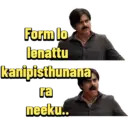
Form lo lenattu kanipisthunana ra neeku..
-

Nenu enno match lu chusara...intha darunam ga aythe levu
-

Ne batting lo intha fire undhi anukoledhu... nuventi Mohdda Ma team ye Abanukoledhu
-

Table top lo unnaranna pogarra meeku
-

Gurthettuko kodakaa next match Meeku untadhi
-

Mana team lo avasaramaa Eedu
-

Wicket padakapothe adhe happy lera..
-

Inko over veiku raa neeko dandam
-

hrudayalu geluchukunna team
-

Thank you inthakanna Em cheppagalamu
-

Match antha aypoindhi Inka Team lo evaru leru ane kangaru
-

Sorry inka meeru Win avvaleru Telusu....
-

Okka match baga aadu anna okka match
-

Monster is back
-

come back gattiga istharu ani evado anandu narikeyli aadini..
-

Hrudhayalu Gelchukunam Aata dobbettukunam
-

hard hitter ani kuda chudakunda out chesaramma
-

sir present mana team situation enti antaru
-

andariki points eche team
-

Ela win avtharo Nenu chusthanu....
-

Meeru kottukuni savandi maaku win ivvandi
-
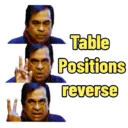
Table Positions reverse
-

Enti idi IPL ah test anukunane
-
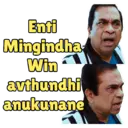
Enti Mingindha Win avthundhi anukunane
-

Oreyyy...idi test anukunava IPL anukunav ra pithre gadivi...
-

Win Avvalsina match ni MG chesthavra.. Ok nenelli Rest tiskunta sir.…..
-

iDreamMedia.com chudu...Nen tips matrame istha... match Meere baga aadali
-

Yera fans em antunaru Match Kutha ramp anta sir... meerosthe meedi kuda ramp aadistharu anta
Stickers
📃 AVICE Win aythe adhe happy leraa....
📃 الليلكين لا levantra echeyandra...
📃 Form lo lenattu kanipisthunana ra neeku..
📃 Nenu enno match lu chusara...intha darunam ga aythe levu
📃 Ne batting lo intha fire undhi anukoledhu... nuventi Mohdda Ma team ye Abanukoledhu
📃 Table top lo unnaranna pogarra meeku
📃 Gurthettuko kodakaa next match Meeku untadhi
📃 Mana team lo avasaramaa Eedu
📃 Wicket padakapothe adhe happy lera..
📃 Inko over veiku raa neeko dandam
📃 hrudayalu geluchukunna team
📃 Thank you inthakanna Em cheppagalamu
📃 Match antha aypoindhi Inka Team lo evaru leru ane kangaru
📃 Sorry inka meeru Win avvaleru Telusu....
📃 Okka match baga aadu anna okka match
📃 Monster is back
📃 come back gattiga istharu ani evado anandu narikeyli aadini..
📃 Hrudhayalu Gelchukunam Aata dobbettukunam
📃 hard hitter ani kuda chudakunda out chesaramma
📃 sir present mana team situation enti antaru
📃 andariki points eche team
📃 Ela win avtharo Nenu chusthanu....
📃 Meeru kottukuni savandi maaku win ivvandi
📃 Table Positions reverse
📃 Enti idi IPL ah test anukunane
📃 Enti Mingindha Win avthundhi anukunane
📃 Oreyyy...idi test anukunava IPL anukunav ra pithre gadivi...
📃 Win Avvalsina match ni MG chesthavra.. Ok nenelli Rest tiskunta sir.…..
📃 iDreamMedia.com chudu...Nen tips matrame istha... match Meere baga aadali
📃 Yera fans em antunaru Match Kutha ramp anta sir... meerosthe meedi kuda ramp aadistharu anta
Herunterladen und in WhatsApp installieren
Die App Sticker Maker ist erforderlich, um dieses Sticker-Paket in Ihrem WhatsApp zu installieren. Falls Sie sie nicht haben, laden Sie sie von: Google Play Store und App Store herunter. Sobald Sie sie auf Ihrem Telefon haben, folgen Sie diesen Anweisungen:
- Laden Sie die von uns unten bereitgestellte Sticker-Datei herunter (sie hat die Erweiterung .wastickers). Suchen Sie die heruntergeladene Datei auf Ihrem Handy und tippen Sie darauf. Ihr Gerät fragt Sie, mit welcher Anwendung Sie sie öffnen möchten; wählen Sie Sticker Maker. Die App erkennt die Datei automatisch als neues Sticker-Paket.
- Sobald Sie das Paket in Sticker Maker sehen, drücken Sie einfach die Schaltfläche „Zu meiner Bibliothek hinzufügen“, dann "Zu WhatsApp hinzufügen" und das war's! Ihre neuen Sticker stehen für alle Ihre WhatsApp-Gespräche zur Verfügung.
Installation in WhatsApp mit Sticker.ly
Eine einfache Möglichkeit, dieses Paket hinzuzufügen, ist über die App Sticker.ly. Falls Sie sie noch nicht haben, laden Sie sie von: Google Play Store und App Store herunter. Wählen Sie dann eine dieser beiden einfachen Methoden:
- Mit direktem Link: Tippen Sie einfach auf diesen Link zum Paket ZEG9QW . Wenn Sie Sticker.ly installiert haben, sehen Sie die Sticker sofort in der App.
- Verwendung des Paket-Codes: Wenn Sie möchten, können Sie den "Paket-Code" hier kopieren: ZEG9QW und ihn in die Suchleiste innerhalb der Sticker.ly-App einfügen.
Sobald Sie sich in Sticker.ly befinden, bestätigen Sie die Aktion durch Tippen auf "Zu WhatsApp hinzufügen", und die Sticker werden sofort an Ihre WhatsApp-App gesendet.
In Telegram verwenden
Für Telegram-Benutzer ist die Installation eines Sticker-Pakets ein nativer und äußerst einfacher Prozess. Folgen Sie einfach diesem Link, der Sie zu Telegram führt: stickerly_ZEG9QW_by_stickerly_official_bot . Beim Öffnen der App sehen Sie das Paket sofort und können es zu Ihrer Bibliothek hinzufügen, ohne dass Drittanbieter-Apps erforderlich sind.
Teile diese Seite