Designer emoji
📦 The 'Designer emoji' pack includes 30 stickers for any conversation. Free download to install on WhatsApp and Telegram.
-

-

NEED MORE SHOWS
-

HELLO I AM UNEMPLOYED
-

final final FINAL03.ai
-

BE MY QUARANTINE?
-

S
-

BUSY AF
-

-

V V
-

Once 3 times ✓ Forever Other... Design
-

-

Force Quit
-

HELLO I NEED HELP
-

Shut Down
-
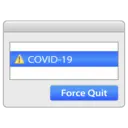
A COVID-19 Force Quit
-

NO JOB
-

No human contact OK
-

WEIRD
-

please pay me
-

Social Distancing Since the 2000s
-

WORK WORK WORK
-

6+Z 2020
-

Sorry LIFE IS CLOSED TILL 2021
-

PLZ LET ME OUT
-

Unsubscribe from 2020? ОК
-

IN CASE OF EMERGENCY
-

-

use a cool font
-

HELLO I AM GOING INSANE
-

Stickers
📃 NEED MORE SHOWS
📃 HELLO I AM UNEMPLOYED
📃 final final FINAL03.ai
📃 BE MY QUARANTINE?
📃 S
📃 BUSY AF
📃 V V
📃 Once 3 times ✓ Forever Other... Design
📃 Force Quit
📃 HELLO I NEED HELP
📃 Shut Down
📃 A COVID-19 Force Quit
📃 NO JOB
📃 No human contact OK
📃 WEIRD
📃 please pay me
📃 Social Distancing Since the 2000s
📃 WORK WORK WORK
📃 6+Z 2020
📃 Sorry LIFE IS CLOSED TILL 2021
📃 PLZ LET ME OUT
📃 Unsubscribe from 2020? ОК
📃 IN CASE OF EMERGENCY
📃 use a cool font
📃 HELLO I AM GOING INSANE
Download and Install on WhatsApp
The Sticker Maker app is necessary to install this sticker pack on your WhatsApp. If you don't have it, download it from: Google Play Store and App Store . Once you have it on your phone, follow these instructions:
- Download the sticker file we provide below (it has the .wastickers extension). Locate the downloaded file on your mobile and tap it. Your device will ask you which application you want to open it with; select Sticker Maker. The app will automatically recognize the file as a new sticker pack.
- Once you see the pack inside Sticker Maker, just press the button that says "Add to My Library", then "Add to WhatsApp" and that's it! Your new stickers will be available for use in all your WhatsApp conversations.
Installation on WhatsApp with Sticker.ly
An easy way to add this pack is through the Sticker.ly app. If you don't have it yet, download it from: Google Play Store and App Store . Then choose one of these two simple methods:
- With Direct Link: Simply tap this link to the pack XWZVPI . If you have Sticker.ly installed, you will immediately see the stickers in the app.
- Using the Pack Code: If you prefer, you can copy the "pack code" by tapping here: XWZVPI and paste it into the search bar inside the Sticker.ly app.
Once inside Sticker.ly, confirm the action by tapping "Add to WhatsApp" and the stickers will be instantly sent to your WhatsApp app.
Use on Telegram
For Telegram users, installing a sticker pack is a native and extremely simple process. Just follow this link that will take you to Telegram: stickerly_XWZVPI_by_stickerly_official_bot . When the app opens, you will instantly see the pack and can add it to your library, without the need for third-party apps.
Share this page