Wise words
📦 The 'Wise words' pack includes 29 stickers with great variety. Free download to install on WhatsApp and Telegram.
-

I drink to forget JavaScript
-
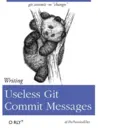
git commit -m "changes" Writing Useless Git Commit Messages O RLY? @ThePracticalDev
-

Getting the wrong idea from that conference talk you attended Solving Imaginary Scaling Issues At Scale O RLY? @ThePracticalDev
-

Just memorize these fourteen contextually dependant instructions Exiting Vim O RLY? Eventually @'The PracticalDev
-

Great cyber, the best cyber, yuuuuuge cyber The Art of The Cyber O RLY? @ThePracticalDev
-

The answer to every programming question ever conceived It Depends The Definitive Guide O RLY? (@The PracticalDev
-

Combining slashes and dots until a thing happens Expert Regex by Trial and Error O RLY? @ThePracticalDev
-

Acting out out of the goodness of your heart, or something O RLY? Thanklessly Maintaining Open Source Software @ThePracticalDev
-

The ichor permeates MY FACE MY FACE ʼn god no NO NOO Parsing HTML Using Regular Expressions No stop the anes are not real ZALGO, HE COMES O RLY?
-

Fundamentals of establishing a scapegoat Blaming the Architecture O RLY? Advanced @ThePracticalDev
-

If you're not running distributed Rust, Go, Elixir and Scala microservices with an elm front end, Apache Storm stream processing, and integrating with Facebook Messenger, Amazon Echo, and gathering machine learning data from my Samsung refrigerator, what are you even doing? Expert Fear of Missing Out O RLY? @The PracticalDev
-

The Internet will do the remembering for you Googling for the Regex Every Damn. Time. O RLY? @'The PracticalDev
-

Now with user-generated content! Essential '); DROP TABLE animals;-- O RLY? The PracticalDev
-

Go crazy with these non-human expressions Mastering Regular Depression O RLY? Sherlock Holmes
-

Your taste, experiences, and objectives are the absolute truth Expert Hating on Languages You Don't Use O RLY? @ThePracticalDev
-

Probably be able explain a sorting algorithm if it ever comes up Expert Vague Understanding of Computer Science O RLY? The PracticalDev
-

Ensuring half the potential ralent force feels uncomfortable and alienated Casual Sexism O RLY? The Definitive Guide @ThePracticalDev
-

How to actually learn any new programming concept Essential Changing Stuff and Seeing What Happens ○ RLY? @ThePracticalDev
-

Security by optimism and prayer Expert Hoping Nobody Hacks You O RLY? (@The PracticalDer
-

Letting your baby out of the nest-for better or worse Good Enough to Ship O RLY? The Definitive Guide @The PracticalDev
-

It's only a clever back if you're the one who wrote it Essential Hating Other People's Code O RLY? @ThePracticalDev
-

Appreciating the best indentation style 3 Space Indentation The only true indent O RLY? Satan
-

The popular approach to version control Memorizing Six Git Commands A Practical Guide O RLY? @ThePracticalDev
-

Depending on a vague popularity contest Choosing Based on GitHub Stars You Only Live Once O RLY? @ThePracticalDev
-

The original developer isn't here for a reason Losing Your Will To Live A Code Maintenance Guide O RLY? The Intern
-

"What did I do to deserve this?" Resolving Broken Dependencies O RLY? This is Your Life Now @ThePracticalDev
-

Cutting corners to meet arbitrary management deadlines Essential Copying and Pasting from Stack Overflow O'REILLY* The Practical Developer @ThePracticalDev
-

Working emotional volatility into your decision tree Expert Overcorrecting for Past Failures O RLY? The PracticalDev
-

Nothing says 'fuck you' like robbing 10 minutes a day Shitting On Work's Time O RLY The Definitive Guide Sly Fox
Stickers
📃 I drink to forget JavaScript
📃 git commit -m "changes" Writing Useless Git Commit Messages O RLY? @ThePracticalDev
📃 Getting the wrong idea from that conference talk you attended Solving Imaginary Scaling Issues At Scale O RLY? @ThePracticalDev
📃 Just memorize these fourteen contextually dependant instructions Exiting Vim O RLY? Eventually @'The PracticalDev
📃 Great cyber, the best cyber, yuuuuuge cyber The Art of The Cyber O RLY? @ThePracticalDev
📃 The answer to every programming question ever conceived It Depends The Definitive Guide O RLY? (@The PracticalDev
📃 Combining slashes and dots until a thing happens Expert Regex by Trial and Error O RLY? @ThePracticalDev
📃 Acting out out of the goodness of your heart, or something O RLY? Thanklessly Maintaining Open Source Software @ThePracticalDev
📃 The ichor permeates MY FACE MY FACE ʼn god no NO NOO Parsing HTML Using Regular Expressions No stop the anes are not real ZALGO, HE COMES O RLY?
📃 Fundamentals of establishing a scapegoat Blaming the Architecture O RLY? Advanced @ThePracticalDev
📃 If you're not running distributed Rust, Go, Elixir and Scala microservices with an elm front end, Apache Storm stream processing, and integrating with Facebook Messenger, Amazon Echo, and gathering machine learning data from my Samsung refrigerator, what are you even doing? Expert Fear of Missing Out O RLY? @The PracticalDev
📃 The Internet will do the remembering for you Googling for the Regex Every Damn. Time. O RLY? @'The PracticalDev
📃 Now with user-generated content! Essential '); DROP TABLE animals;-- O RLY? The PracticalDev
📃 Go crazy with these non-human expressions Mastering Regular Depression O RLY? Sherlock Holmes
📃 Your taste, experiences, and objectives are the absolute truth Expert Hating on Languages You Don't Use O RLY? @ThePracticalDev
📃 Probably be able explain a sorting algorithm if it ever comes up Expert Vague Understanding of Computer Science O RLY? The PracticalDev
📃 Ensuring half the potential ralent force feels uncomfortable and alienated Casual Sexism O RLY? The Definitive Guide @ThePracticalDev
📃 How to actually learn any new programming concept Essential Changing Stuff and Seeing What Happens ○ RLY? @ThePracticalDev
📃 Security by optimism and prayer Expert Hoping Nobody Hacks You O RLY? (@The PracticalDer
📃 Letting your baby out of the nest-for better or worse Good Enough to Ship O RLY? The Definitive Guide @The PracticalDev
📃 It's only a clever back if you're the one who wrote it Essential Hating Other People's Code O RLY? @ThePracticalDev
📃 Appreciating the best indentation style 3 Space Indentation The only true indent O RLY? Satan
📃 The popular approach to version control Memorizing Six Git Commands A Practical Guide O RLY? @ThePracticalDev
📃 Depending on a vague popularity contest Choosing Based on GitHub Stars You Only Live Once O RLY? @ThePracticalDev
📃 The original developer isn't here for a reason Losing Your Will To Live A Code Maintenance Guide O RLY? The Intern
📃 "What did I do to deserve this?" Resolving Broken Dependencies O RLY? This is Your Life Now @ThePracticalDev
📃 Cutting corners to meet arbitrary management deadlines Essential Copying and Pasting from Stack Overflow O'REILLY* The Practical Developer @ThePracticalDev
📃 Working emotional volatility into your decision tree Expert Overcorrecting for Past Failures O RLY? The PracticalDev
📃 Nothing says 'fuck you' like robbing 10 minutes a day Shitting On Work's Time O RLY The Definitive Guide Sly Fox
Download and Install on WhatsApp
The Sticker Maker app is necessary to install this sticker pack on your WhatsApp. If you don't have it, download it from: Google Play Store and App Store . Once you have it on your phone, follow these instructions:
- Download the sticker file we provide below (it has the .wastickers extension). Locate the downloaded file on your mobile and tap it. Your device will ask you which application you want to open it with; select Sticker Maker. The app will automatically recognize the file as a new sticker pack.
- Once you see the pack inside Sticker Maker, just press the button that says "Add to My Library", then "Add to WhatsApp" and that's it! Your new stickers will be available for use in all your WhatsApp conversations.
Use on Telegram
For Telegram users, installing a sticker pack is a native and extremely simple process. Just follow this link that will take you to Telegram: programmingbooks . When the app opens, you will instantly see the pack and can add it to your library, without the need for third-party apps.
Share this page