

gaada
📦 The 'gaada' pack includes 30 stickers for any conversation. Free download to install on WhatsApp.
-
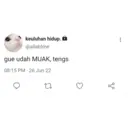
keuluhan hidup. @allabtme gue udah MUAK, tengs 08:15PM-26 Jun 22 17 ४ :
-

-
COBA LAGI
-
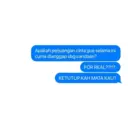
Apakah perjuangan cinta gue selama ini cuma dianggap sbg candaan? FOR REAL??!!? KETUTUP KAH MATA KAU?
-

KACAU HATI GUE KACAU Cukup sudahi sampai disini Jiwa, batin, mental dan hati gue udah gak sanggup
-
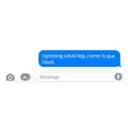
O A ngomong sekali lagi, nomor lu gue block iMessage KO
-
K asher gua tonjok lu anjing
-

gi @secretG congrats? wow? anjing? bangsat? wkwk @convont 16.59 15/12/21 27
-

CA n
-

trus ak hrus bilang woo0o00ow gt???
-

priv @mahardhika Tak pikir2 kok aku agak gila sekarang 15.10 02/07/22 Tweet 27
-

Eh sori banget nih tapi NGENTOOOOOTTTTT.
-

Lelah @arvlovebot MANA ADAB MU ANJING????? 10.51 24/05/21 Tweet 27
-

Mau Ya udah ga jadi Mau ciuman gak? Anjing lu emang
-

775717 C
-

ketololan mu aff astagfirullah tangkis tangkis aku
-

rai @raihanabif Tweet seru bgt dah liat orang goblok lagi pada berantem 14.59 23/06/22 27 ↑
-

MENANGISI HOMO
-

CATA Mon NT 24 MOTES HOOR EXA YLIE
-

Bacot anjg 12.22
-

K anjing lu gua pukul sini lu 8.35 PM Naza
-

Malaikat menilai: SANGAT BURUK
-

SULIT DIMENGERTI SEMOGA HARIMU NOE GIRU CICING
-

al @orgilnyambat dasar manusia freaaakkk 19.40 06/04/22 Twitter for iPhone 27
-

*tarik nafas* ngok.. hiks hiks.. "tarik nafas* ngiookk.. Jttc
-

ENOUGH.
-

Anak Se Sin Cos
-

GOMEN
-

halaaaahh off dlu dah gue 01.05 01.05
-

← Goblok 3.41 PM jaziel
Download and Install on WhatsApp
The Sticker Maker app is necessary to install this sticker pack on your WhatsApp. If you don't have it, download it from: Google Play Store and App Store. Once you have it on your phone, follow these instructions:
- Download the sticker file we provide below (it has the .wastickers extension). Locate the downloaded file on your mobile and tap it. Your device will ask you which application you want to open it with; select Sticker Maker. The app will automatically recognize the file as a new sticker pack.
- Once you see the pack inside Sticker Maker, just press the button that says "Add to My Library", then "Add to WhatsApp" and that's it! Your new stickers will be available for use in all your WhatsApp conversations.


