

Lore Olympus pa' responder (2)
📦 The 'Lore Olympus pa' responder (2)' pack includes 30 stickers for daily chats. Free download to install on WhatsApp.
-

TU TE CALLAS MISERA ARRASTRADA
-

CÁLLATE TU PINCHE BOCA
-
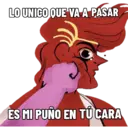
LO UNICO QUE VA A PASAR ES MI PUÑO EN TU CARA
-

NO VERGAS PUTAS PINCHES MAMES
-

ME INTERESA UNA PINCHE SALCHICHA LO QUE TENGAS QUE DECIR
-

ME ECHE A TU MAMÁ
-

ESO TE PASA POR ZORRA
-

YA NO SÉ SI PREGUNTAR QUE ESTUPIDEZ ESTÁS HACIENDO AHORA
-

TÚ ERES GAY
-

AH WEBO, Y ME LA PELAS CUCARACHA
-

ADIVINA QUE
-

AH MIMIR
-

TU JEFA EN TANGA
-

AMARTE ES FÁCIL POR QUE ERES BELLA
-

AY NO, YA VALIO VERGA 00 VALIO, VER.... GA...
-

ME DA ASCO SOLO VERLO
-

ASI TE QUERÍA ATRAPAR, PUERCO
-

SE DICE GRACIAS MALDITA CERDA, MALAGRADECIDA
-

AYY NO SÉ
-
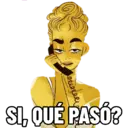
Jeueverl SI, QUÉ PASÓ?
-

NO LES VOY A DECIR, NI MADRE
-

YA VISTE? ME LA PELAS
-

WEYY YAAA
-

TA FUERTE EL ASUNTO
-

A LA MADRE
-

CABRON, QUE HICISTE?
-

CON UN DEMONIO, LO QUE FALTABA
-
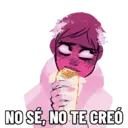
NO SÉ, NO TE CREÓ
-

AH NADIE LE IMPORTA
-

ES BELLÍSIMO
Download and Install on WhatsApp
The Sticker Maker app is necessary to install this sticker pack on your WhatsApp. If you don't have it, download it from: Google Play Store and App Store. Once you have it on your phone, follow these instructions:
- Download the sticker file we provide below (it has the .wastickers extension). Locate the downloaded file on your mobile and tap it. Your device will ask you which application you want to open it with; select Sticker Maker. The app will automatically recognize the file as a new sticker pack.
- Once you see the pack inside Sticker Maker, just press the button that says "Add to My Library", then "Add to WhatsApp" and that's it! Your new stickers will be available for use in all your WhatsApp conversations.
Installation on WhatsApp with Sticker.ly
An easy way to add this pack is through the Sticker.ly app. If you don't have it yet, download it from: Google Play Store and App Store. Then choose one of these two simple methods:
- With Direct Link: Simply tap this link to the pack HFKD2G. If you have Sticker.ly installed, you will immediately see the stickers in the app.
- Using the Pack Code: If you prefer, you can copy the "pack code" by tapping here: and paste it into the search bar inside the Sticker.ly app.
Once inside Sticker.ly, confirm the action by tapping "Add to WhatsApp" and the stickers will be instantly sent to your WhatsApp app.


