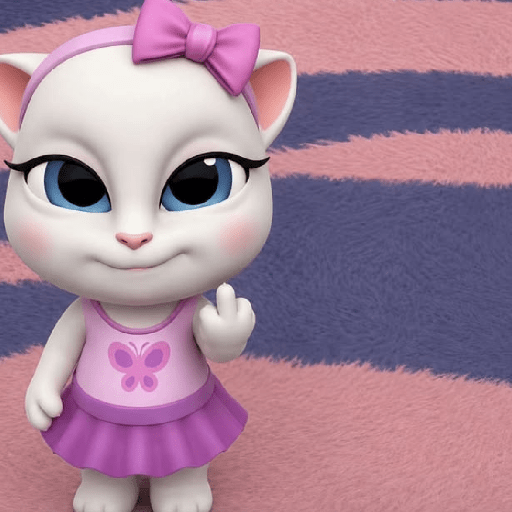
Talking Angela
📦 Cute Talking Angela in many moods—shy, sad, flirty, confident, and wild. Perfect for fun everyday chats. Send these cute cat reactions to tease, comfort, flirt, or show your mood in any chat. The 'Talking Angela' pack includes 10 stickers freshly updated. Free download to install on WhatsApp.
-

😒 Skeptical Look
Angela wears a purple bow and pink butterfly dress with a doubtful face. When you doubt a story or are not impressed.
-

😊 Confident Pose
Full-body Angela smiles with hands on hips in her pink butterfly dress. Show confidence or that you have it all under control.
-

🐱 Brown Angela
A brown-fur Angela in the same pink dress and purple bow, looking calm. A cute variant look to greet or reply sweetly.
-

☺️ Gentle Smile
Close-up of Angela smiling softly in a cozy room near a bed. Send a warm, friendly hello or a kind reply.
-

😔 Feeling Sad
Angela in a green beret and sad bunny ears looks disappointed. When you feel down, left out, or disappointed.
-

😳 Shy Hearts
Angela clasps her paws shyly against a pink hearts background. When you feel bashful, flattered, or a bit in love.
-

😁 Flirty Grin
Angela grins widely with paws together amid pink hearts. Playful flirting or sharing a cheeky secret.
-

🤘 Glowing Eyes
Angela raises rock horns with glowing pink eyes and wild energy. Hype a party, a win, or chaotic excitement.
-

🥰 Dreamy Face
Close-up of Angela resting her cheeks on her paws with a sweet smile. Daydreaming, feeling cute, or waiting for a reply.
-

😏 Bedroom Eyes
Angela lies in bed on a purple pillow, posing with a flirty look. Feeling lazy, cozy, or sending a flirty goodnight.
Download and Install on WhatsApp
The Sticker Maker app is necessary to install this sticker pack on your WhatsApp. If you don't have it, download it from: Google Play Store and App Store. Once you have it on your phone, follow these instructions:
- Download the sticker file we provide below (it has the .wastickers extension). Locate the downloaded file on your mobile and tap it. Your device will ask you which application you want to open it with; select Sticker Maker. The app will automatically recognize the file as a new sticker pack.
- Once you see the pack inside Sticker Maker, just press the button that says "Add to My Library", then "Add to WhatsApp" and that's it! Your new stickers will be available for use in all your WhatsApp conversations.
Installation on WhatsApp with Sticker.ly
An easy way to add this pack is through the Sticker.ly app. If you don't have it yet, download it from: Google Play Store and App Store. Then choose one of these two simple methods:
- With Direct Link: Simply tap this link to the pack KTTEOS. If you have Sticker.ly installed, you will immediately see the stickers in the app.
- Using the Pack Code: If you prefer, you can copy the "pack code" by tapping here: and paste it into the search bar inside the Sticker.ly app.
Once inside Sticker.ly, confirm the action by tapping "Add to WhatsApp" and the stickers will be instantly sent to your WhatsApp app.