Teks anomali marah
📦 The 'Teks anomali marah' pack includes 20 stickers ready to share. Free download to install on WhatsApp and Telegram.
-

knpa chat jam segini? ak shift malam kh
-
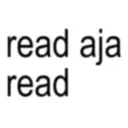
read aja read
-
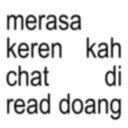
merasa keren kah chat read doang di
-
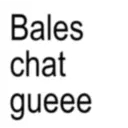
Bales chat gueee
-
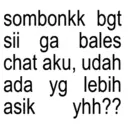
sombonkk bgt sii ga bales chat aku, udah ada yg lebih asik yhh??
-
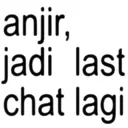
anjir, jadi last chat lagi
-

bismillah kena I I
-

good night ya
-
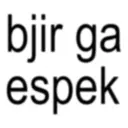
bjir ga espek
-
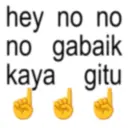
hey no no no gabaik kaya gitu
-

LOVE YOU MWAHH
-

kata gue ma buang aja tu hape gabisa bales kalo chat
-

bisa g si klo habis di chat tuh bales kek, jan di biarin doang kek orng gila gw nungguin nya
-

sibuk bgt gw liat liat
-

knp di read doang? keyboard ny di ilang yh
-

org udh excited malah ngetik gituu
-

berantemin sama gue dia pls
-

alamak najiss nyaa
-

sorry baru bales, habis tawuran
-

ngilangg teruss ihhh
Stickers
📃 knpa chat jam segini? ak shift malam kh
📃 read aja read
📃 merasa keren kah chat read doang di
📃 Bales chat gueee
📃 sombonkk bgt sii ga bales chat aku, udah ada yg lebih asik yhh??
📃 anjir, jadi last chat lagi
📃 bismillah kena I I
📃 good night ya
📃 bjir ga espek
📃 hey no no no gabaik kaya gitu
📃 LOVE YOU MWAHH
📃 kata gue ma buang aja tu hape gabisa bales kalo chat
📃 bisa g si klo habis di chat tuh bales kek, jan di biarin doang kek orng gila gw nungguin nya
📃 sibuk bgt gw liat liat
📃 knp di read doang? keyboard ny di ilang yh
📃 org udh excited malah ngetik gituu
📃 berantemin sama gue dia pls
📃 alamak najiss nyaa
📃 sorry baru bales, habis tawuran
📃 ngilangg teruss ihhh
Download and Install on WhatsApp
The Sticker Maker app is necessary to install this sticker pack on your WhatsApp. If you don't have it, download it from: Google Play Store and App Store . Once you have it on your phone, follow these instructions:
- Download the sticker file we provide below (it has the .wastickers extension). Locate the downloaded file on your mobile and tap it. Your device will ask you which application you want to open it with; select Sticker Maker. The app will automatically recognize the file as a new sticker pack.
- Once you see the pack inside Sticker Maker, just press the button that says "Add to My Library", then "Add to WhatsApp" and that's it! Your new stickers will be available for use in all your WhatsApp conversations.
Installation on WhatsApp with Sticker.ly
An easy way to add this pack is through the Sticker.ly app. If you don't have it yet, download it from: Google Play Store and App Store . Then choose one of these two simple methods:
- With Direct Link: Simply tap this link to the pack 92GOFG . If you have Sticker.ly installed, you will immediately see the stickers in the app.
- Using the Pack Code: If you prefer, you can copy the "pack code" by tapping here: 92GOFG and paste it into the search bar inside the Sticker.ly app.
Once inside Sticker.ly, confirm the action by tapping "Add to WhatsApp" and the stickers will be instantly sent to your WhatsApp app.
Use on Telegram
For Telegram users, installing a sticker pack is a native and extremely simple process. Just follow this link that will take you to Telegram: stickerly_92GOFG_by_stickerly_official_bot . When the app opens, you will instantly see the pack and can add it to your library, without the need for third-party apps.
Share this page