Anomali Kata Kata Marah 😡
📦 The 'Anomali Kata Kata Marah 😡' pack includes 16 stickers for daily chats. Free download to install on WhatsApp and Telegram. These stickers contain phrases in Indonesian.
-

lu aslinya muak ga sih?
-

Dituntut untuk sabar di dunia yang monyetnya bertebaran dimana mana
-
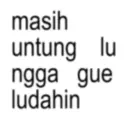
masih untung lu ngga gue ludahin
-
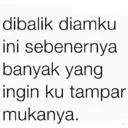
dibalik diamku ini sebenernya banyak yang ingin ku tampar mukanya.
-
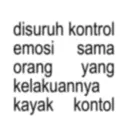
disuruh kontrol emosi sama orang yang kelakuannya kayak kontol
-

entahlah dek, kutengok lebih tinggi emosimu daripada tinggi badanmu.
-
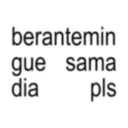
berantemin gue sama dia pls
-
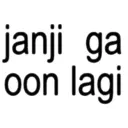
janji ga oon lagi
-
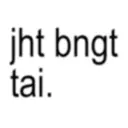
jht bngt tai.
-

ngelunjak anj
-

sebentar ya saya lagi marah
-

Maaf kalo mulutku jahat, lu duluan sih
-

Anak se- enggak enakan ini berkelahi dengan orang gatau diri
-

pada seenaknya banget sih, mentang² gua enak
-

Aku udah gak tau mau ngetik apa, jadinya aku kirimin sticker ini aja
-

jahat bgt ah, ngak espek
Stickers
📃 lu aslinya muak ga sih?
📃 Dituntut untuk sabar di dunia yang monyetnya bertebaran dimana mana
📃 masih untung lu ngga gue ludahin
📃 dibalik diamku ini sebenernya banyak yang ingin ku tampar mukanya.
📃 disuruh kontrol emosi sama orang yang kelakuannya kayak kontol
📃 entahlah dek, kutengok lebih tinggi emosimu daripada tinggi badanmu.
📃 berantemin gue sama dia pls
📃 janji ga oon lagi
📃 jht bngt tai.
📃 ngelunjak anj
📃 sebentar ya saya lagi marah
📃 Maaf kalo mulutku jahat, lu duluan sih
📃 Anak se- enggak enakan ini berkelahi dengan orang gatau diri
📃 pada seenaknya banget sih, mentang² gua enak
📃 Aku udah gak tau mau ngetik apa, jadinya aku kirimin sticker ini aja
📃 jahat bgt ah, ngak espek
Download and Install on WhatsApp
The Sticker Maker app is necessary to install this sticker pack on your WhatsApp. If you don't have it, download it from: Google Play Store and App Store . Once you have it on your phone, follow these instructions:
- Download the sticker file we provide below (it has the .wastickers extension). Locate the downloaded file on your mobile and tap it. Your device will ask you which application you want to open it with; select Sticker Maker. The app will automatically recognize the file as a new sticker pack.
- Once you see the pack inside Sticker Maker, just press the button that says "Add to My Library", then "Add to WhatsApp" and that's it! Your new stickers will be available for use in all your WhatsApp conversations.
Installation on WhatsApp with Sticker.ly
An easy way to add this pack is through the Sticker.ly app. If you don't have it yet, download it from: Google Play Store and App Store . Then choose one of these two simple methods:
- With Direct Link: Simply tap this link to the pack T39DXJ . If you have Sticker.ly installed, you will immediately see the stickers in the app.
- Using the Pack Code: If you prefer, you can copy the "pack code" by tapping here: T39DXJ and paste it into the search bar inside the Sticker.ly app.
Once inside Sticker.ly, confirm the action by tapping "Add to WhatsApp" and the stickers will be instantly sent to your WhatsApp app.
Use on Telegram
For Telegram users, installing a sticker pack is a native and extremely simple process. Just follow this link that will take you to Telegram: stickerly_T39DXJ_by_stickerly_official_bot . When the app opens, you will instantly see the pack and can add it to your library, without the need for third-party apps.
Share this page