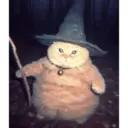
Fat Wizard Cat
📦 This sticker pack features a charming series of illustrations of a chubby cat dressed as a wizard. The artistic design captures various magical and whimsical moments in the cat's life, adding humor and fantasy to conversations. Use this sticker pack to add a touch of humor and fantasy to your chats, especially when discussing magical themes or looking for a whimsical addition to your conversations. 'Fat Wizard Cat' pack mein 11 stickers hain jo install karne mein aasan hain. WhatsApp and Telegram par install karne ke liye free download.
-

🐱 Cat with Broom
A magical cat with a broom, ready for a flight. Perfect for expressing readiness for adventure or action.
-

🐱 Flying Cat
A wizard cat flying on a broomstick. Great for expressing a sense of freedom and whimsy.
-

🐱 Cat Holding Magic Orb
A round cat holding a glowing magic orb with both paws. Perfect for conveying mystical or magical experiences.
-

🐱 Cat with Bell
A cat wearing a bell collar, looking curious. Ideal for moments of curiosity or new discoveries.
-

🐱 Cat with Rose
A cute wizard cat holding a rose. Use this to show affection or a romantic gesture.
-

🐱 Cat with Wizard Hat
A cat with a wizard hat, holding a straw. Can be used to add humor or whimsy to a chat.
-

🐱 Cat Wizard with Wand
A chubby cat dressed as a wizard, holding a wand. Use this sticker when you want to add a magical touch to your conversation.
-

🐱 Cat Preparing Potion
A cat in wizard attire stirring a cauldron with a spoon. Use this when concocting plans or working on creative projects.
-

🐱 Cat on Broomstick
A small cat with a witch hat sitting on a broomstick. Perfect for indicating a whimsical journey or adventure.
-

🐱 Cat Reading Spellbook
A cute cat with a wizard hat, reading a spellbook. Ideal for moments when you're seeking knowledge or studying.
-

🐱 Cat Casting a Spell
A determined cat with a wizard hat, pointing a wand. When you're about to create some magic in any aspect of life.
WhatsApp par download aur install karein
Is sticker pack ko apne WhatsApp par install karne ke liye Sticker Maker app zaroori hai. Agar aapke paas nahi hai, to yahan se download karein: Google Play Store aur App Store. Phone mein app aa jaane ke baad ye steps follow karein:
- Neeche di gayi sticker file download karein (iska extension .wastickers hai). Download hui file ko apne mobile mein dhoondhein aur us par tap karein. Aapka phone poochega ki ise kis app se kholna hai; Sticker Maker chunein. App is file ko automatically naye sticker pack ke roop mein pehchaan lega.
- Jab pack Sticker Maker mein dikh jaye, to "Meri library mein add karein" wala button dabayein, phir "WhatsApp mein add karein", bas ho gaya! Aapke naye stickers aapki saari WhatsApp chats mein use ke liye ready honge.
Sticker.ly se WhatsApp par install karein
Is pack ko add karne ka ek aasan tareeka hai Sticker.ly app. Agar aapke paas abhi tak nahi hai, to yahan se download karein: Google Play Store aur App Store. Phir in do aasan tareekon mein se ek chunein:
- Direct link se: Bas pack ke is link par tap karein: IOHDRA. Agar aapke paas Sticker.ly install hai, to stickers turant app mein dikh jayenge.
- Pack code se: Chahein to yahan tap karke "pack code" copy karein: aur use Sticker.ly app ke search bar mein paste kar dein.
Sticker.ly mein pahunchne ke baad "WhatsApp mein add karein" par tap karke confirm karein, aur stickers turant aapke WhatsApp app mein bhej diye jayenge.
Telegram par use karein
Telegram users ke liye sticker pack install karna bilkul aasan hai, ye feature app mein hi hai. Bas is link par jaayein, jo aapko Telegram par le jayega: stickerly_IOHDRA_by_stickerly_official_bot. App khulte hi aapko pack dikh jayega aur aap use apni library mein add kar sakte hain, kisi doosre app ki zaroorat nahi.