Blackpink Memes
📦 Ang pack na 'Blackpink Memes' ay may 30 sticker na may maraming pagpipilian. Libreng pag-download para i-install sa WhatsApp. Ang mga sticker na ito ay may mga parirala sa Ingles.
-

me laughing at what my crush said so smooth
-

when you didn't raise your hand but the teacher still calls on you
-

-

-

please let me live
-

"You always wear black haha who's funeral are you going to?" || YOURS IF YOU DON'T STOP @LISAHREE
-

do i smell drama ???
-

are you dumb??
-

A = nr² +C = 2πι sin COS tan 30° 45° 60° 1526 - 2x 30° x√3 145 5 IN 60% wwww X {Sin xdx=– cosx+ C dx COS X =tgx +C ¡tgxdx=-Incos x+ 1/4+C dx sinx dx ²+x²²0 arcig V=r²h tan (6) 30 h end
-

-

ET JE Do you see this shit jennie-ssi?
-
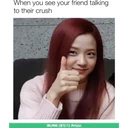
When you see your friend talking to their crush BLINK (3) Amino
-

When you know you screwed up but you don't want to acknowledge it BLINK (3) Amino
-

When he says he didn't say anything but you have screenshots BLINK (3) Amino
-

me realising I'll forever be single: I'll date myself.
-

Profile picture vs. tagged picture VISIT KORE of @t_blink MeMe+
-

when you get called out by the teacher jeonie uh idk? why me??? you disgust me BLINK (3) Amino
-

-

did i ask
-
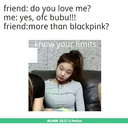
friend: do you love me? me: yes, ofc bubu!!! friend:more than blackpink? know your limits. UPICOTS BLINK (3) Amino
-

JISOO APROVA!
-

Same energy ~ Rosey G Smith 18 하우스 이사 가족 상품
-

-

-

-

wtf bro
-

한
-

When your friend hangs out with the person you don't like wtf bro BLINK (3) Amino
-

[smile in pain]
-

ĐO Really??
Stickers
📃 me laughing at what my crush said so smooth
📃 when you didn't raise your hand but the teacher still calls on you
📃 please let me live
📃 "You always wear black haha who's funeral are you going to?" || YOURS IF YOU DON'T STOP @LISAHREE
📃 do i smell drama ???
📃 are you dumb??
📃 A = nr² +C = 2πι sin COS tan 30° 45° 60° 1526 - 2x 30° x√3 145 5 IN 60% wwww X {Sin xdx=– cosx+ C dx COS X =tgx +C ¡tgxdx=-Incos x+ 1/4+C dx sinx dx ²+x²²0 arcig V=r²h tan (6) 30 h end
📃 ET JE Do you see this shit jennie-ssi?
📃 When you see your friend talking to their crush BLINK (3) Amino
📃 When you know you screwed up but you don't want to acknowledge it BLINK (3) Amino
📃 When he says he didn't say anything but you have screenshots BLINK (3) Amino
📃 me realising I'll forever be single: I'll date myself.
📃 Profile picture vs. tagged picture VISIT KORE of @t_blink MeMe+
📃 when you get called out by the teacher jeonie uh idk? why me??? you disgust me BLINK (3) Amino
📃 did i ask
📃 friend: do you love me? me: yes, ofc bubu!!! friend:more than blackpink? know your limits. UPICOTS BLINK (3) Amino
📃 JISOO APROVA!
📃 Same energy ~ Rosey G Smith 18 하우스 이사 가족 상품
📃 wtf bro
📃 한
📃 When your friend hangs out with the person you don't like wtf bro BLINK (3) Amino
📃 [smile in pain]
📃 ĐO Really??
I-download at I-install sa WhatsApp
Ang Sticker Maker app ay kinakailangan para i-install ang sticker pack na ito sa iyong WhatsApp. Kung wala ka nito, i-download ito mula sa: Google Play Store at App Store . Kapag nasa telepon mo na, sundin ang mga sumusunod na tagubilin:
- I-download ang sticker file na ibinibigay namin sa ibaba (mayroon itong .wastickers extension). Hanapin ang na-download na file sa iyong mobile at i-tap ito. Tatanungin ng iyong device kung anong application ang gusto mong gamitin upang buksan ito; piliin ang Sticker Maker. Awtomatikong makikilala ng app ang file bilang isang bagong sticker pack.
- Kapag nakita mo na ang pack sa loob ng Sticker Maker, pindutin lamang ang button na nagsasabing “Idagdag sa Aking Library”, pagkatapos ay "Idagdag sa WhatsApp" at tapos na! Ang iyong mga bagong sticker ay magagamit para sa lahat ng iyong mga pag-uusap sa WhatsApp.
Ibahagi ang pahinang ito