

BlueKingBear
📦 Das Paket 'BlueKingBear' enthält 26 Sticker lustig und ausdrucksstark. Kostenloser Download zur Installation auf WhatsApp.
-

Bad Ending Afters You shouldn't fail my exam !
-

The Ending 9 (DC. World Peace
-

Happy Ending Laughing like a child
-

No-man Ending Mobile Robot Navigation
-

Open Ending Universal Meme
-

Good Ending If you feel a strong emotion, it's the love
-

Angel Ending 残酷な天使のように
-

Modern Warfare Ending $ alias cd = 'rm -rf' Precision-Guided Weapon
-

8.20 929 SA - Ending 250 Student Autonomous University
-
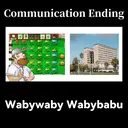
Communication Ending 1300 √772556 Wabywaby Wabybabu
-

Red Alert Ending Ура!
-

Apocalypse Ending Exam Weeks
-

Studious Ending This can be used to explode the school?
-

Sad Ending The universe is unconscious It regards everything as insignificant
-

Monday Ending THT THT THT THT THE THER Is time to go back to the school
-

Not Ending Amigo No School
-

Safe Ending 貝 Go Home Go Home
-
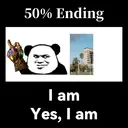
50% Ending I am Yes, I am
-

Democracy Ending Oil Oil
-

Wonderful World Ending EXPLOSION !
-

Peace Ending CCTV 7, ** GUILLA "Win people by virtue" -MengZi
-

Friendship Ending Go to school together? (1/40)
-

911 Ending PROTED MALINES Heard 2 twins died in a plane crash Their last name was towers
-

SpaceX Ending BAL Love from Elon Musk
-

Eternal Ending SPESOT Constantinople? Istanbul !!!
-

Gender Equality Ending Attack Helicopter
Herunterladen und in WhatsApp installieren
Die App Sticker Maker ist erforderlich, um dieses Sticker-Paket in Ihrem WhatsApp zu installieren. Falls Sie sie nicht haben, laden Sie sie von: Google Play Store und App Store herunter. Sobald Sie sie auf Ihrem Telefon haben, folgen Sie diesen Anweisungen:
- Laden Sie die von uns unten bereitgestellte Sticker-Datei herunter (sie hat die Erweiterung .wastickers). Suchen Sie die heruntergeladene Datei auf Ihrem Handy und tippen Sie darauf. Ihr Gerät fragt Sie, mit welcher Anwendung Sie sie öffnen möchten; wählen Sie Sticker Maker. Die App erkennt die Datei automatisch als neues Sticker-Paket.
- Sobald Sie das Paket in Sticker Maker sehen, drücken Sie einfach die Schaltfläche „Zu meiner Bibliothek hinzufügen“, dann "Zu WhatsApp hinzufügen" und das war's! Ihre neuen Sticker stehen für alle Ihre WhatsApp-Gespräche zur Verfügung.


