

BlueKingBear
📦 Le pack 'BlueKingBear' comprend 26 stickers amusants et expressifs. Téléchargement gratuit pour installer sur WhatsApp.
-

Bad Ending Afters You shouldn't fail my exam !
-

The Ending 9 (DC. World Peace
-

Happy Ending Laughing like a child
-

No-man Ending Mobile Robot Navigation
-

Open Ending Universal Meme
-

Good Ending If you feel a strong emotion, it's the love
-

Angel Ending 残酷な天使のように
-

Modern Warfare Ending $ alias cd = 'rm -rf' Precision-Guided Weapon
-

8.20 929 SA - Ending 250 Student Autonomous University
-
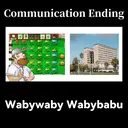
Communication Ending 1300 √772556 Wabywaby Wabybabu
-

Red Alert Ending Ура!
-

Apocalypse Ending Exam Weeks
-

Studious Ending This can be used to explode the school?
-

Sad Ending The universe is unconscious It regards everything as insignificant
-

Monday Ending THT THT THT THT THE THER Is time to go back to the school
-

Not Ending Amigo No School
-

Safe Ending 貝 Go Home Go Home
-
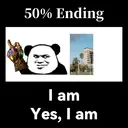
50% Ending I am Yes, I am
-

Democracy Ending Oil Oil
-

Wonderful World Ending EXPLOSION !
-

Peace Ending CCTV 7, ** GUILLA "Win people by virtue" -MengZi
-

Friendship Ending Go to school together? (1/40)
-

911 Ending PROTED MALINES Heard 2 twins died in a plane crash Their last name was towers
-

SpaceX Ending BAL Love from Elon Musk
-

Eternal Ending SPESOT Constantinople? Istanbul !!!
-

Gender Equality Ending Attack Helicopter
Télécharger et Installer sur WhatsApp
L'application Sticker Maker est nécessaire pour installer ce pack de stickers sur votre WhatsApp. Si vous ne l'avez pas, téléchargez-la depuis : Google Play Store et App Store. Une fois qu'elle est sur votre téléphone, suivez ces instructions :
- Téléchargez le fichier de stickers que nous fournissons ci-dessous (il a l'extension .wastickers). Localisez le fichier téléchargé sur votre mobile et appuyez dessus. Votre appareil vous demandera avec quelle application vous souhaitez l'ouvrir ; sélectionnez Sticker Maker. L'application reconnaîtra automatiquement le fichier comme un nouveau pack de stickers.
- Une fois que vous voyez le pack à l'intérieur de Sticker Maker, appuyez simplement sur le bouton “Ajouter à ma bibliothèque”, puis sur "Ajouter à WhatsApp" et c'est tout ! Vos nouveaux stickers seront disponibles pour être utilisés dans toutes vos conversations WhatsApp.


